For Principals and school leaders
Your evaluation, in full, and yours to keep
Being evaluated usually means waiting for a document somebody else controls. Here the record is a screen you can open whenever you want, with the reasoning attached to the part of the rubric it belongs to.
This is the same for everyone the district evaluates. Principals are assessed on the MPPR; assistant principals, directors, deans and department chairs are assessed on the MLPR. The screens below are the ones you see either way.
Everything about you, in one place
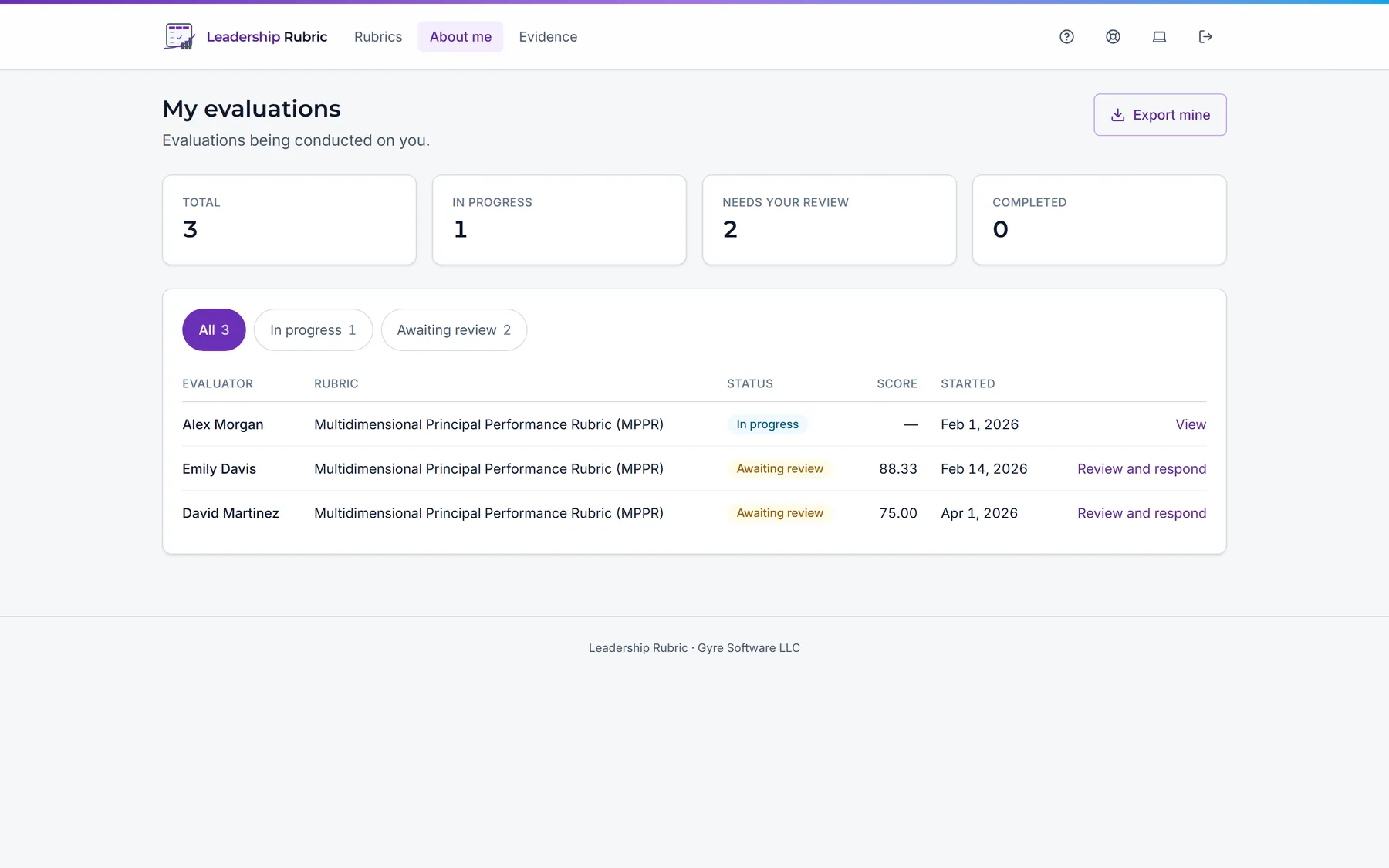
“About me” lists every evaluation about you, both the ones under way and the ones finished, with who is conducting each and where it has got to. If you also evaluate other people, that work lives in its own separate area, so the two are never mixed up.
Comments sit beside what they are about
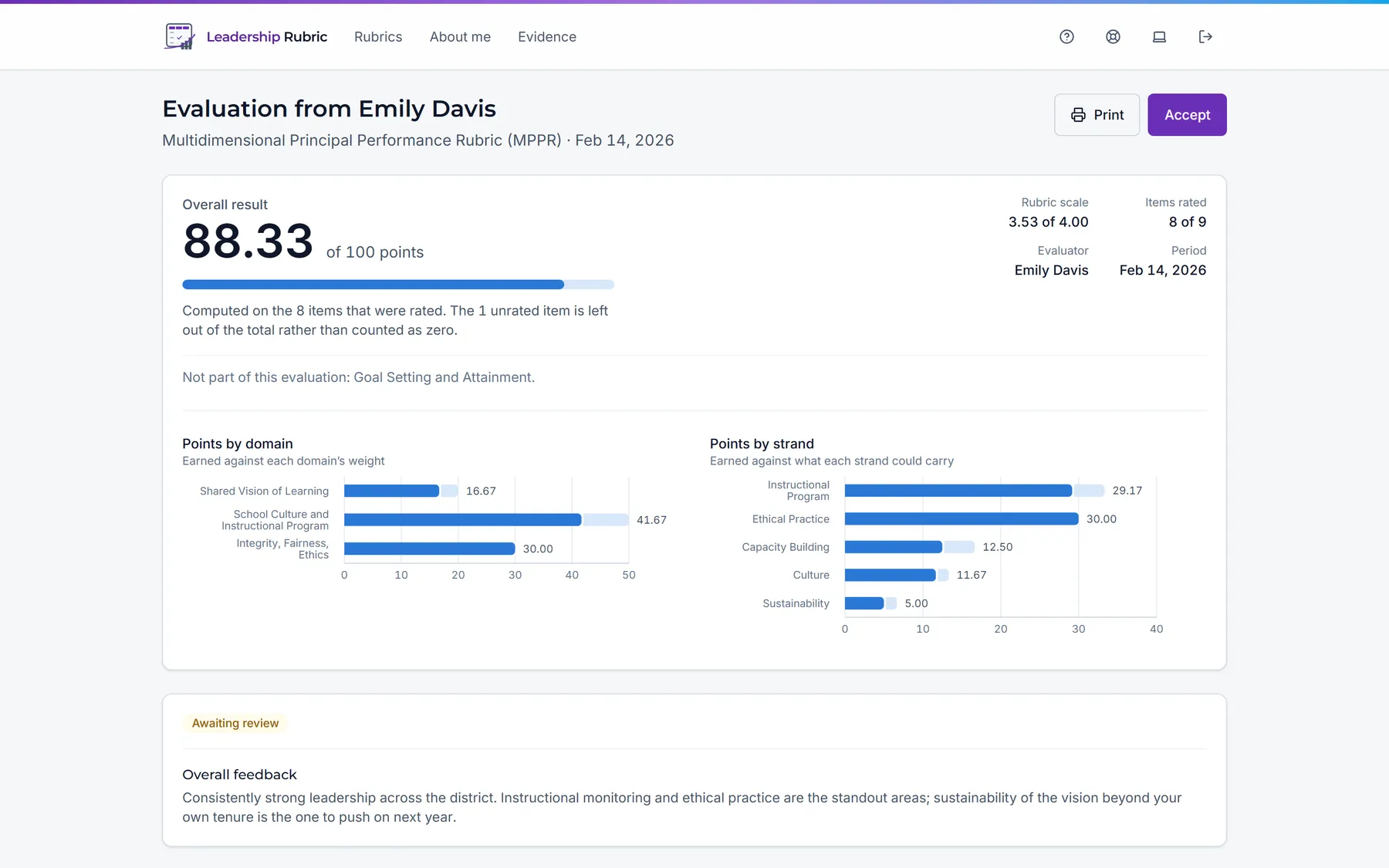
A score on its own is not much use. The record shows your overall result out of 100 and the performance band, then breaks it down by domain, with your evaluator’s written comments attached to the specific area they were written about, not collected in a paragraph at the end.
The evidence that was considered is listed too. You can print the whole thing or save it as a PDF for your own file.
You get a say in the record
Write a response
Where your district allows it, add your own account in your own words. It becomes part of the record rather than a separate email nobody keeps.
Accept when you have read it
Accepting an evaluation tells your evaluator you have read it, so they can finalize it. It changes no score, and anything you wrote stays on the record beside their comments.
Evaluate yourself first
If your district enables it, score yourself against the same rubric before the conversation. Then compare your ratings with your evaluator’s, dimension by dimension — a view only you see.
If your scores are not visible yet
Some districts choose to discuss results in person before the numbers are shared. If yours does, the evaluation will appear in your list before its figures are available, and you will not be asked to accept it until they are.
That is a district setting, and it is enforced by the system rather than by the screen, so the numbers genuinely are not there to be found.