For Evaluators
Score where the observation happens
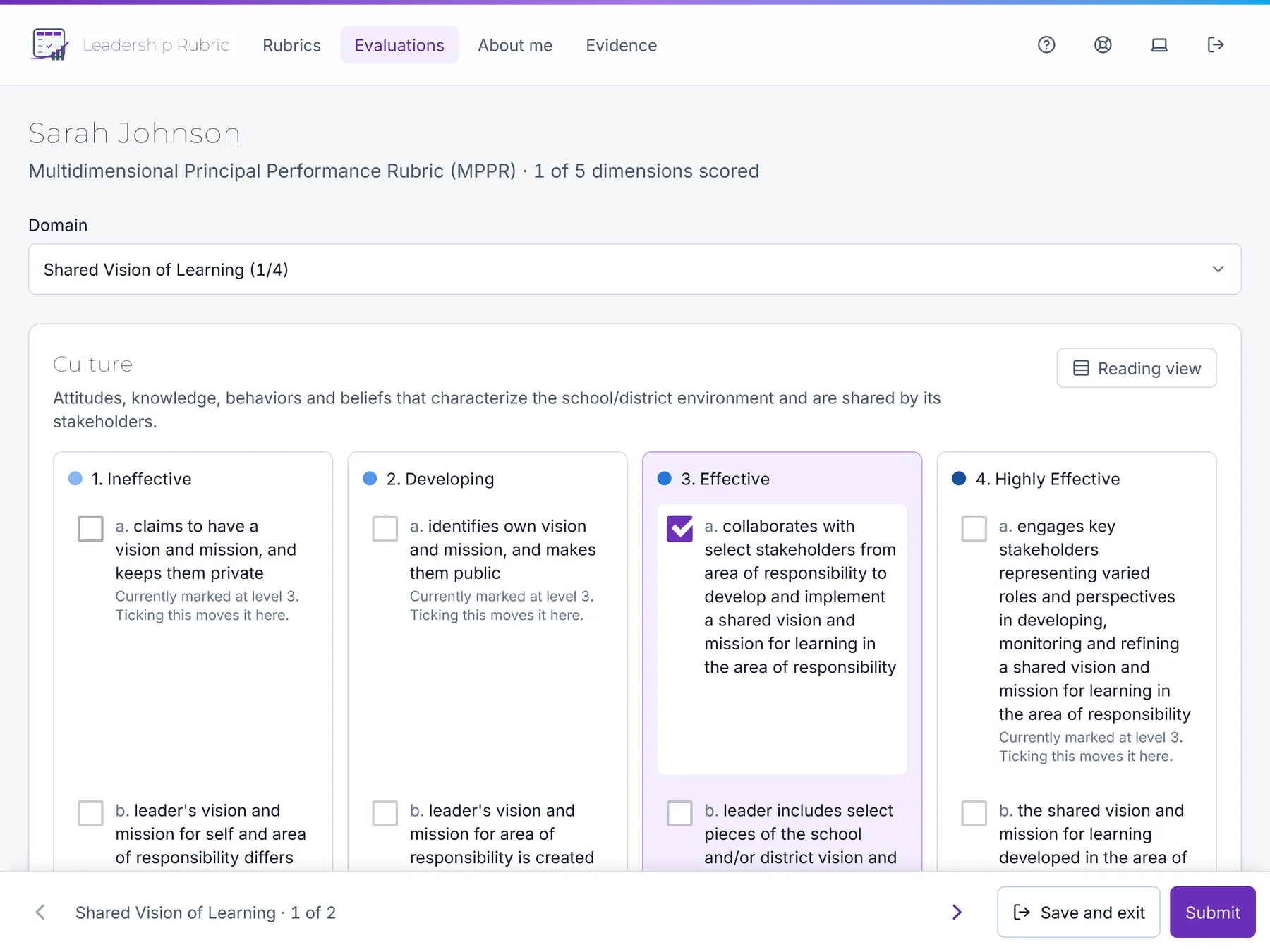
The scoring screen is built for the iPad you already carry. In landscape it puts all four performance levels side by side, so you are choosing between descriptors rather than remembering them.
Designed around how the rubric actually reads
A multidimensional rubric is a grid, and scoring one on a phone-shaped form loses the comparison that makes it work.
Descriptor-level scoring
Tick the descriptors that match what you saw. Each descriptor is rated on its own and the dimension averages them, the way the rubric is written.
Domain by domain
Move straight through every dimension, or jump to any domain, with a running count of what you have scored.
Actions in thumb reach
Save, submit and move between domains from a bar at the bottom of the screen, not a header you have to scroll back to.
Autosave, with proof
Work saves as you go and tells you it did. If a save fails, it says so and retries rather than losing the entry quietly.
Feedback where it belongs
Write comments and observation notes against the dimension they refer to, plus an overall note. The person you evaluate reads them once you submit.
A reading view
Switch to a plain reading layout when you want the rubric’s language without the controls in the way.
Evidence attached to the thing it proves
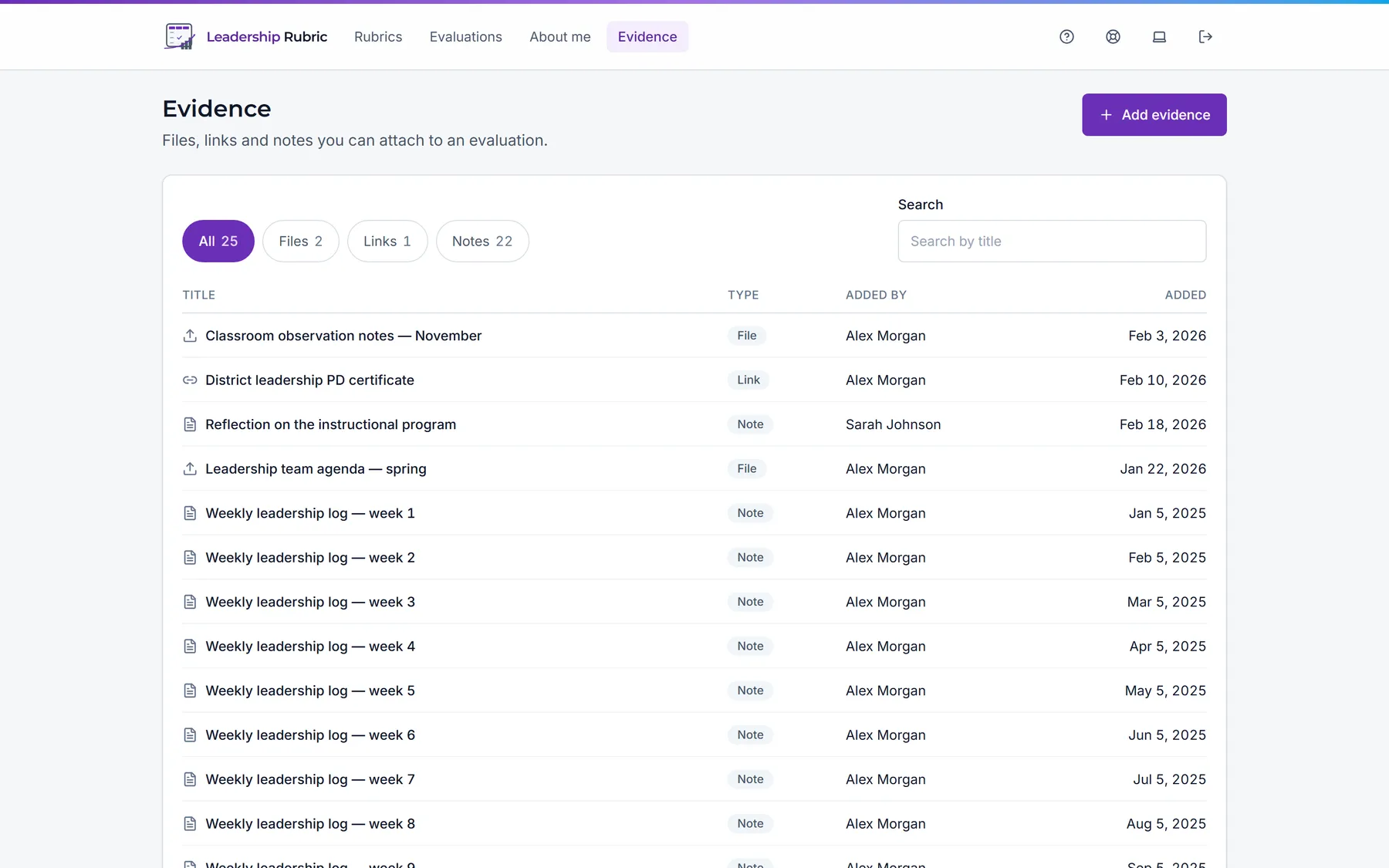
Keep a library of files, links and notes, and attach any of them to the specific dimension they support. The same artifact can support several dimensions across several evaluations without being uploaded again, and detaching it from one place leaves the others alone.
On a tablet you can photograph something and attach it without leaving the evaluation.
Your workspace, not a shared inbox
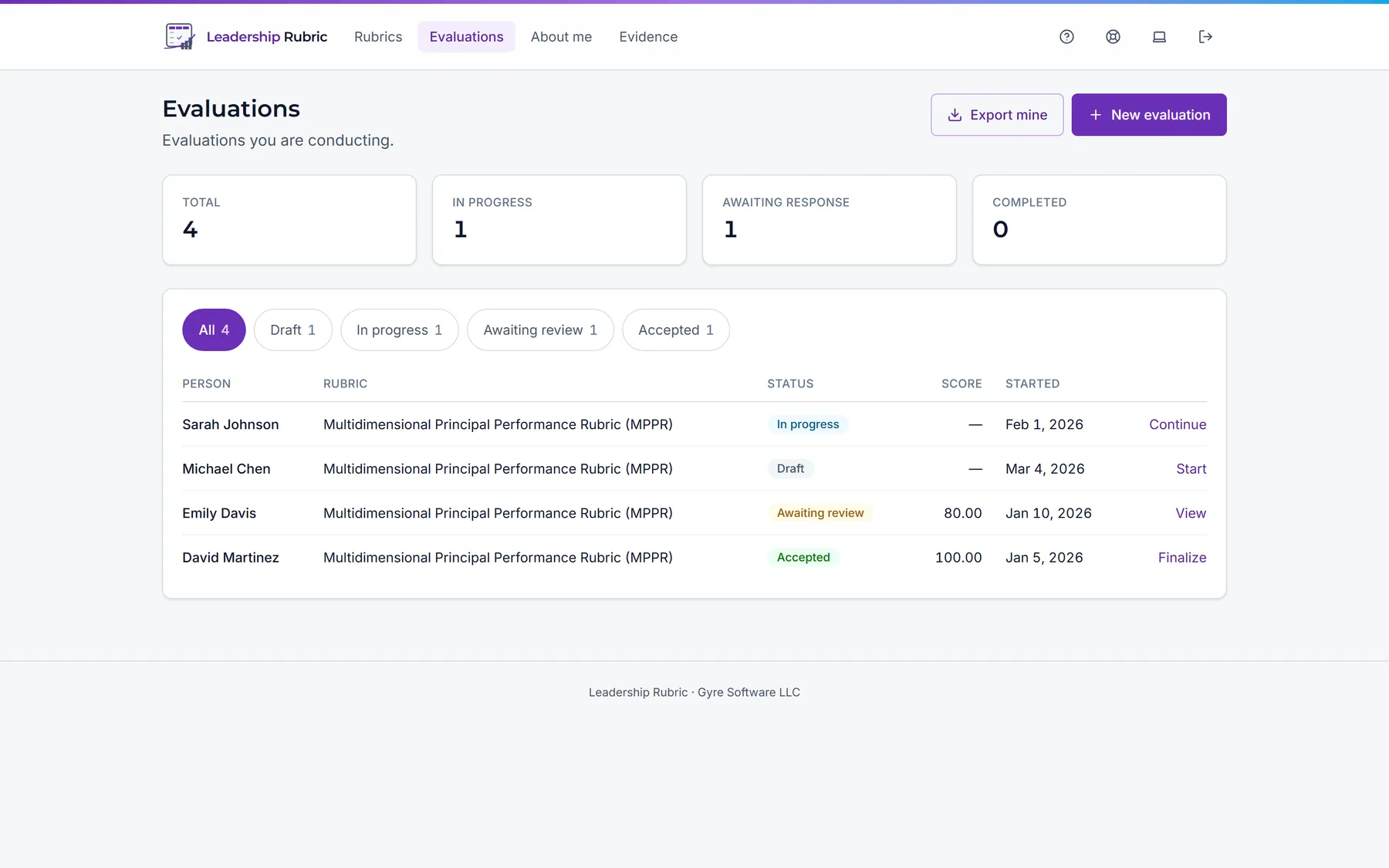
Everyone you are responsible for, in one list, filtered by what needs doing: in progress, awaiting a response, needing review. Anything your Evaluation Coordinator has planned for you waits at the top with a Start button, the person and rubric already chosen. Or start one yourself from a person and a rubric (the rubric is suggested from their job role) and save it as a draft until you are ready.
When it is done, submit it. If your district holds scores back, you decide when to release them.
Finish with a record, not a screenshot
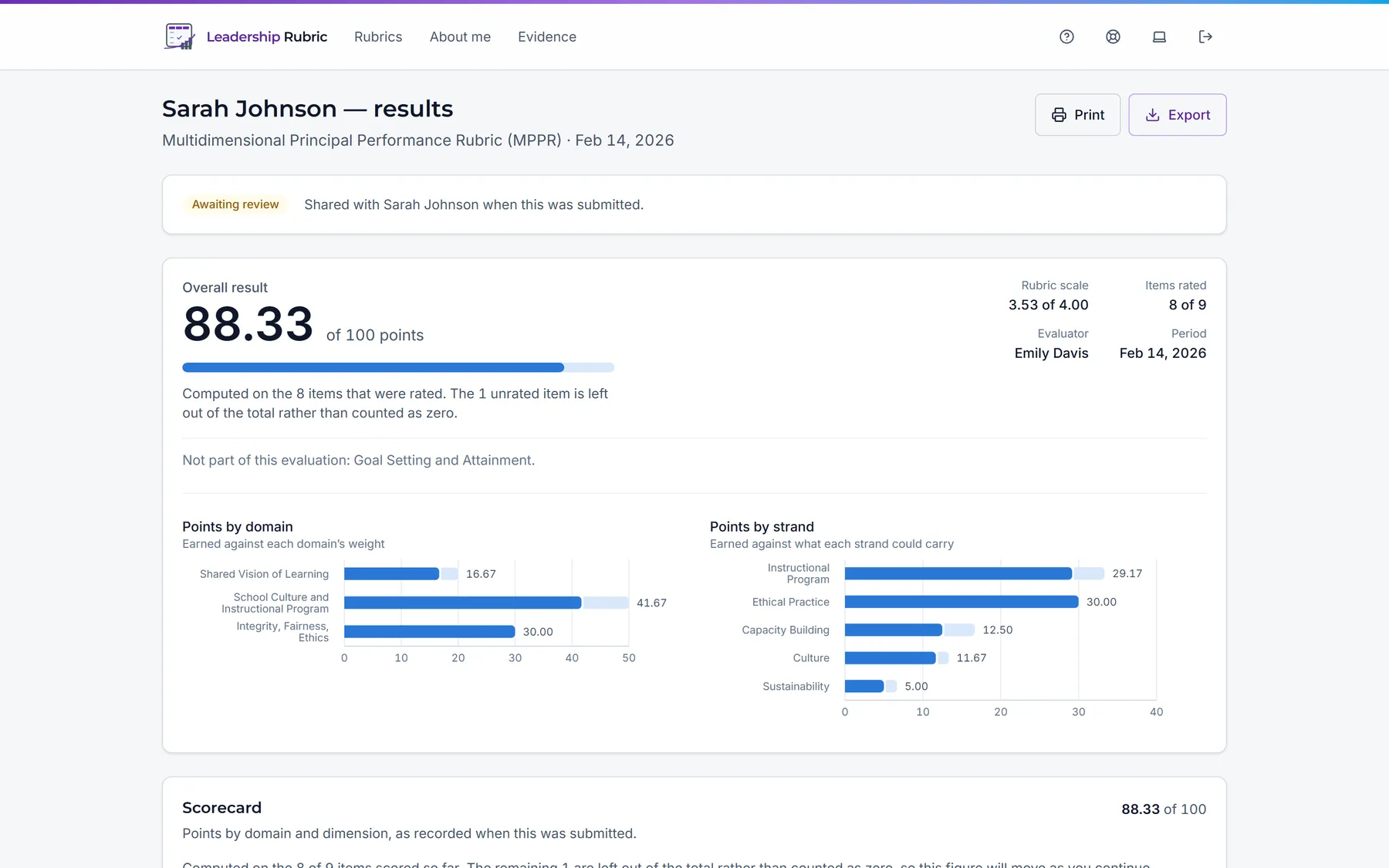
The results report gives the total out of 100, the points earned in each domain and each strand, and how many items were rated. Print it as a formal record headed with your district’s name, or export the single evaluation to Excel.
Everything the platform does →