For school districts
Principal and school leader evaluation your district can defend
Principals on the MPPR, every other leader on the MLPR, both end to end: evidence attached to the dimension it actually supports, a 100-point scorecard built from your own domain weights, and a record that still holds up a year later.
Both rubrics built in. One price per seat, one invoice.
Three people, three jobs, one system
An evaluation touches the district office, the evaluator and the person being evaluated. Each of them gets a screen built for what they actually do.
Evaluation Coordinators
Import the roster, plan who evaluates whom, adopt a rubric, weight the domains, see where every evaluation stands and export the whole cycle when the year closes.
Run the district cycle →Evaluators
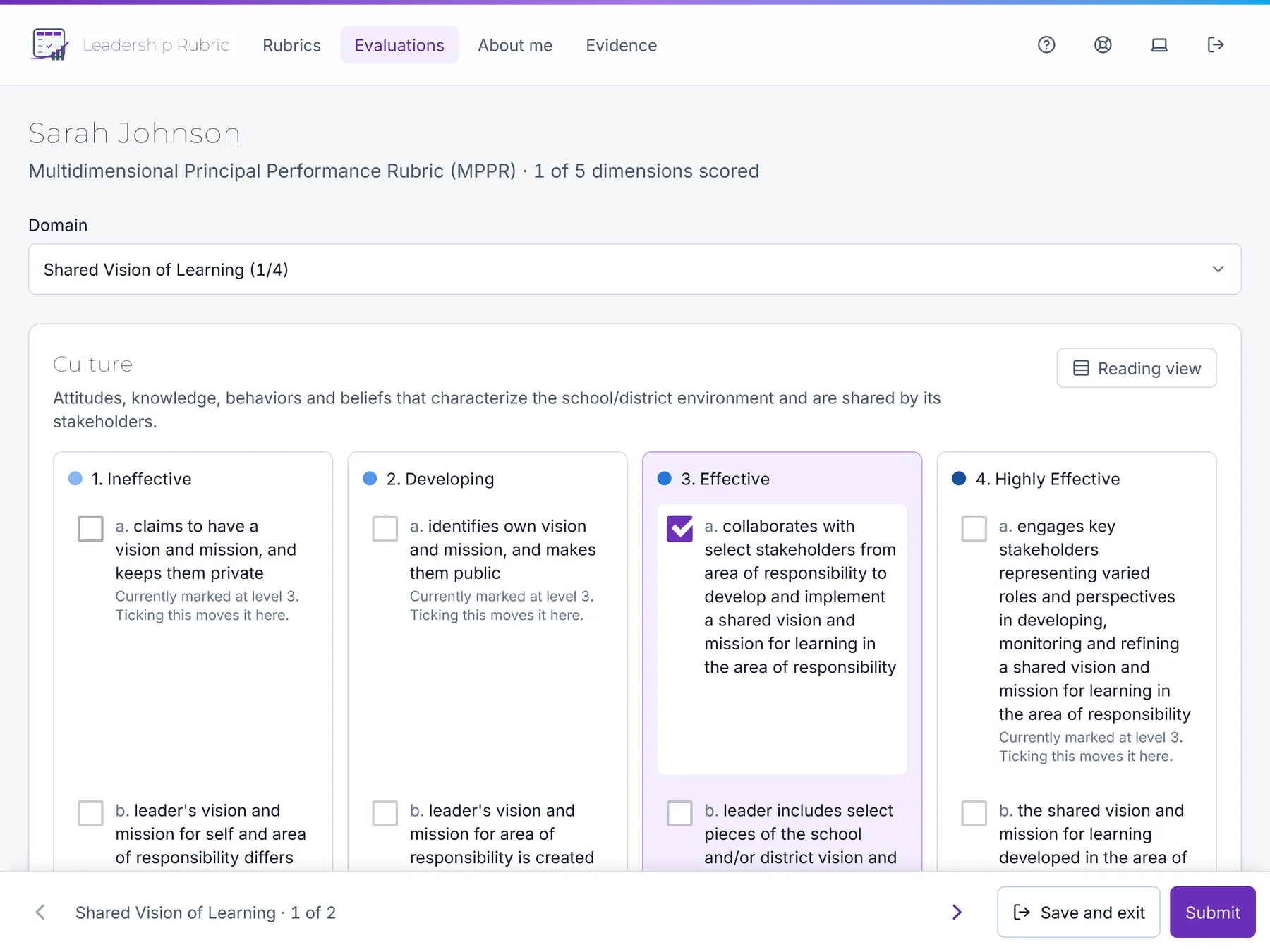
Score against the rubric’s own descriptors on the iPad you already carry, with the evidence pinned to the dimension it supports.
See the scoring screen →Principals and leaders
Anyone being evaluated reads the finished record with the comments beside the area they belong to, writes a response, and keeps a copy.
See what they see →How a cycle runs
Four steps from an empty district to an exported year.
Add your people
Import a roster from CSV or invite by email, and in the same upload say who evaluates whom and by when.
Adopt a rubric
Choose the published version and give each domain its share of 100 points.
Evaluate with evidence
Score the descriptors, attach the evidence that supports each one, and let it autosave.
Release and export
Share results on your terms, capture a written response, and export the year to Excel.
A number that can be explained
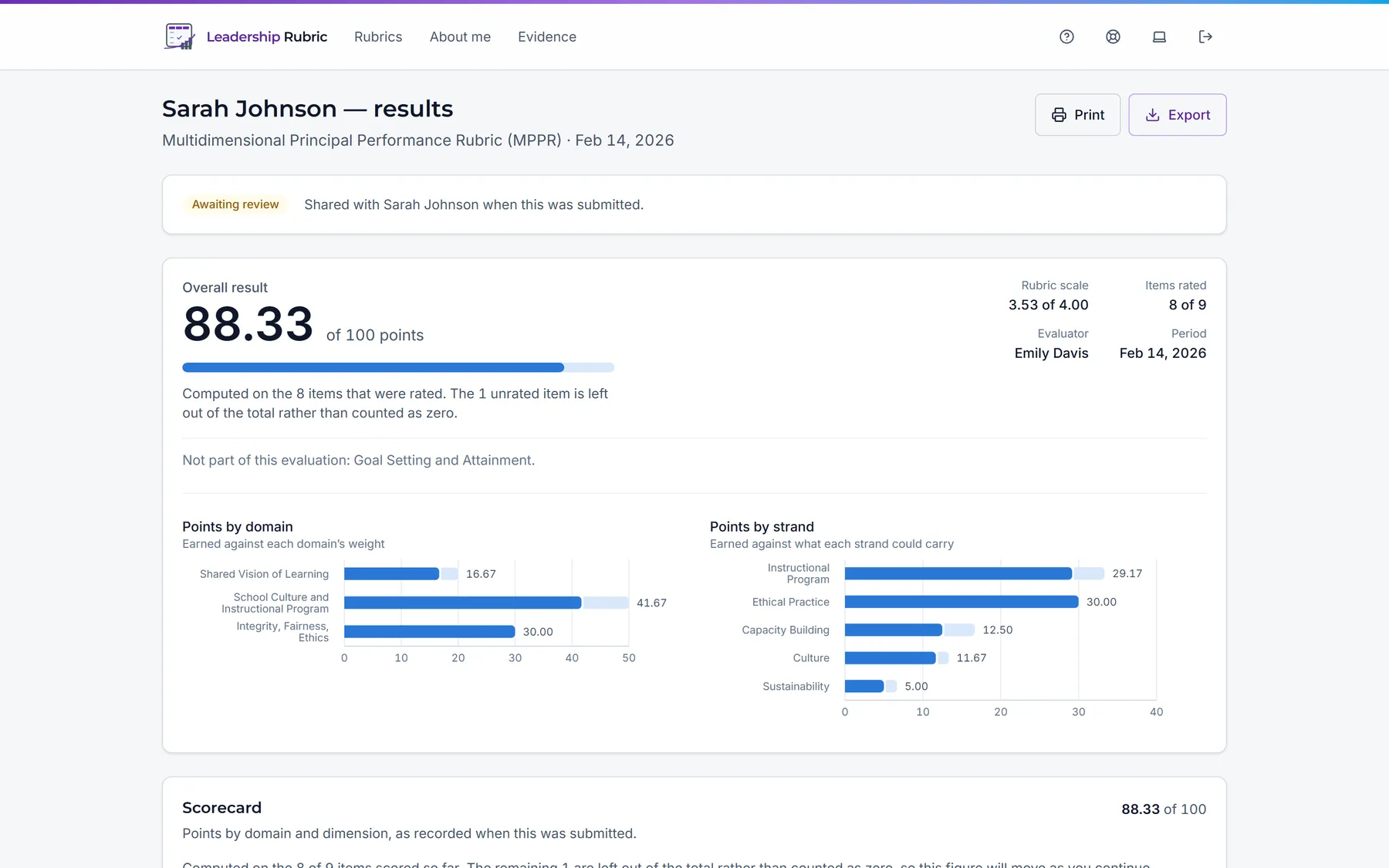
Every score traces back to a descriptor someone selected, in a rubric version that cannot change after the fact. The report shows the total out of 100, the points earned in each domain and each strand, and how many items were rated.
- Unrated items are left out, not counted as zero, so a part-finished evaluation never reads as a bad one.
- Weights are yours. Switch a domain off and it is left out of the evaluation entirely.
- Printable as a formal record, and exportable as a spreadsheet.
The district office keeps control
One person, your Evaluation Coordinator, holds the roster, the rubric, the weights and the seat count. They never need to open an evaluation to run the year.
Seats are counted honestly: only people who evaluate or are evaluated use one, and Coordinators are free.
What a Coordinator can do →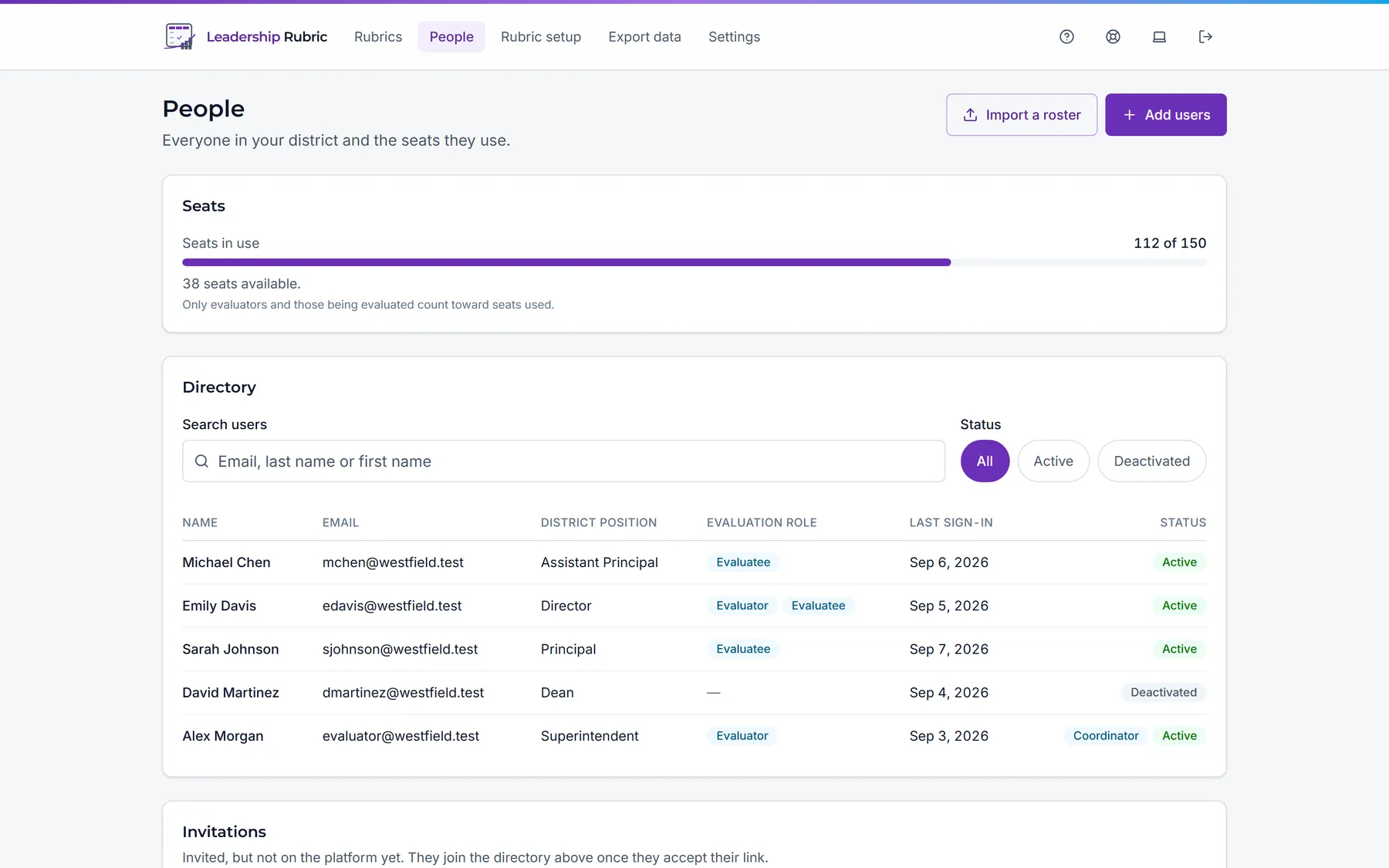
Built for personnel data
An evaluation is an employment record. These are properties of the system, not promises.
Districts are isolated
Every query is filtered to your district at the data layer and fails closed, rather than relying on the screen you happen to be on.
Rubric versions are immutable
A published version can never be edited, and each evaluation is pinned to the one it began with.
Exports are on the record
Who exported, when, with which filter, and how many scores were withheld. All of it kept.
No passwords to leak
Sign-in is a one-time passcode to a work email, with lockout and a record of every change to someone’s access.