For Evaluation Coordinators
Run the whole district cycle without opening a single evaluation
The Evaluation Coordinator is the person who makes the year work: the roster, the rubric, the weights, the seats and the export. None of it requires you to see anybody’s scores, and by default you don’t.
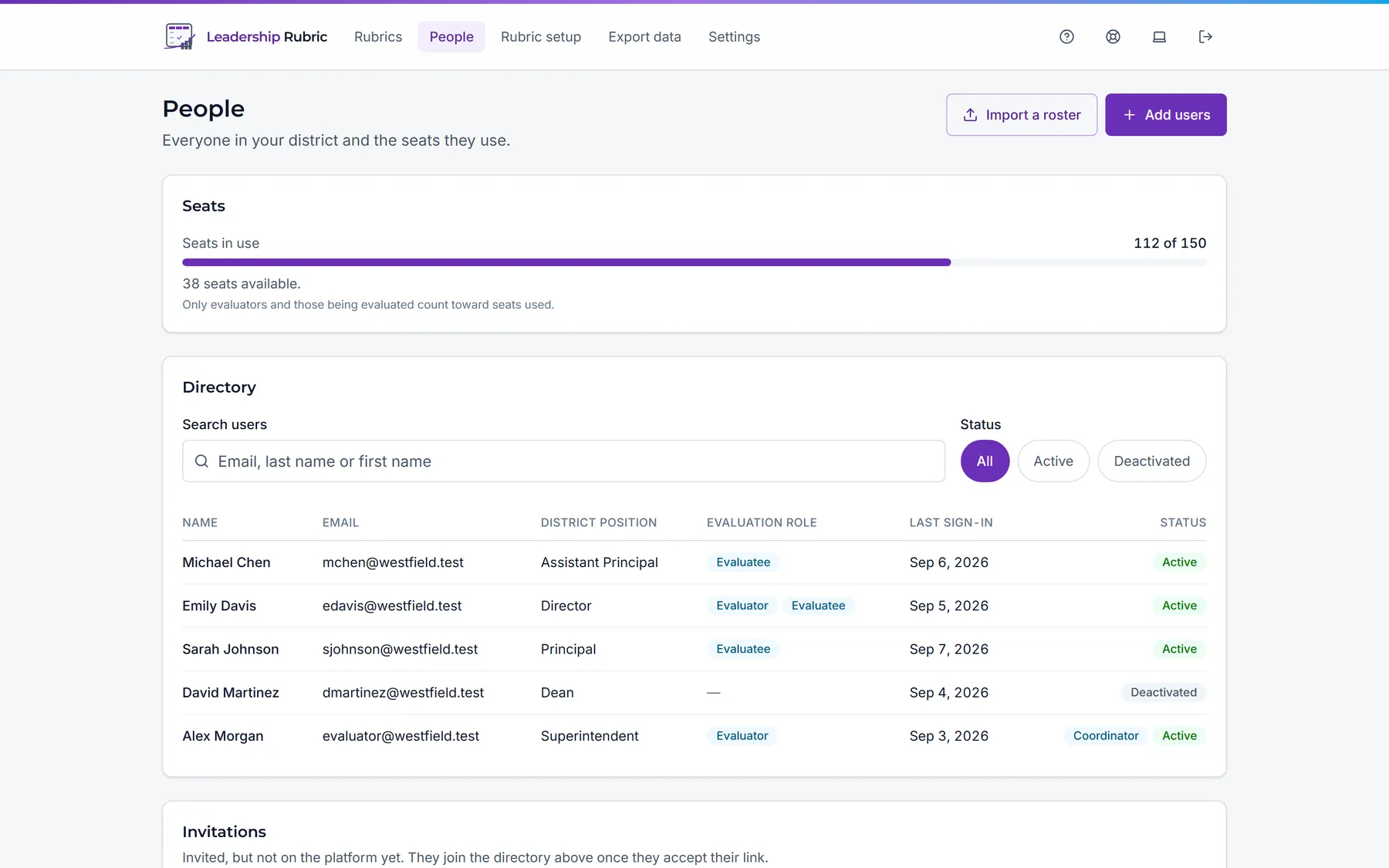
Get everyone in, and plan the year in the same upload
Paste a list of email addresses to invite people one at a time, or import your roster from a CSV. The import runs as a dry run first: you are shown exactly what will happen (who gets invited, who is skipped and why, which rows need fixing) before anything is created.
- • A downloadable template, so the column names are never a guess.
- • Per-invite job role and access level.
- • Resend or revoke an invitation that went astray.
- • Set who can evaluate and who can be evaluated. The two are independent of job title.
- • Add an Evaluator Email column, and a due date if you like, and the same import plans who evaluates whom this school year.
- • One screen shows where every planned evaluation stands, including people who have not signed in yet, flags anything overdue, and resends lapsed invitations in one go.
Decide what the rubric is worth
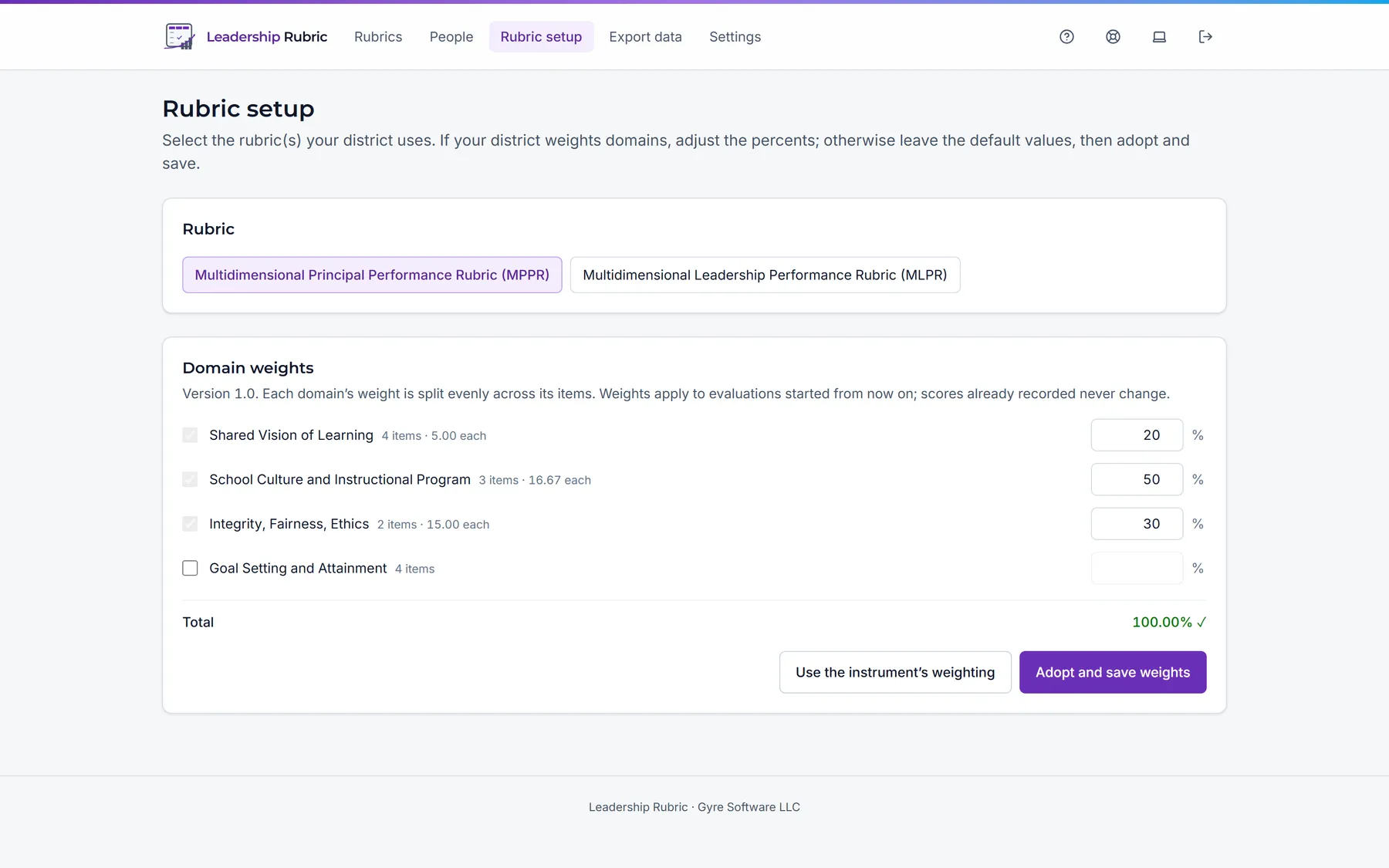
Adopt a rubric and pick the published version your district will use this year. Then give each domain a share of 100 points. The weighting is yours: switch a domain off and it is left out of the evaluation entirely, which is also how optional areas such as goal setting are switched on or off.
Evaluations already under way keep the setup they began with, so a mid-year change of mind never rewrites a score that has already been given.
An export that is also the audit record
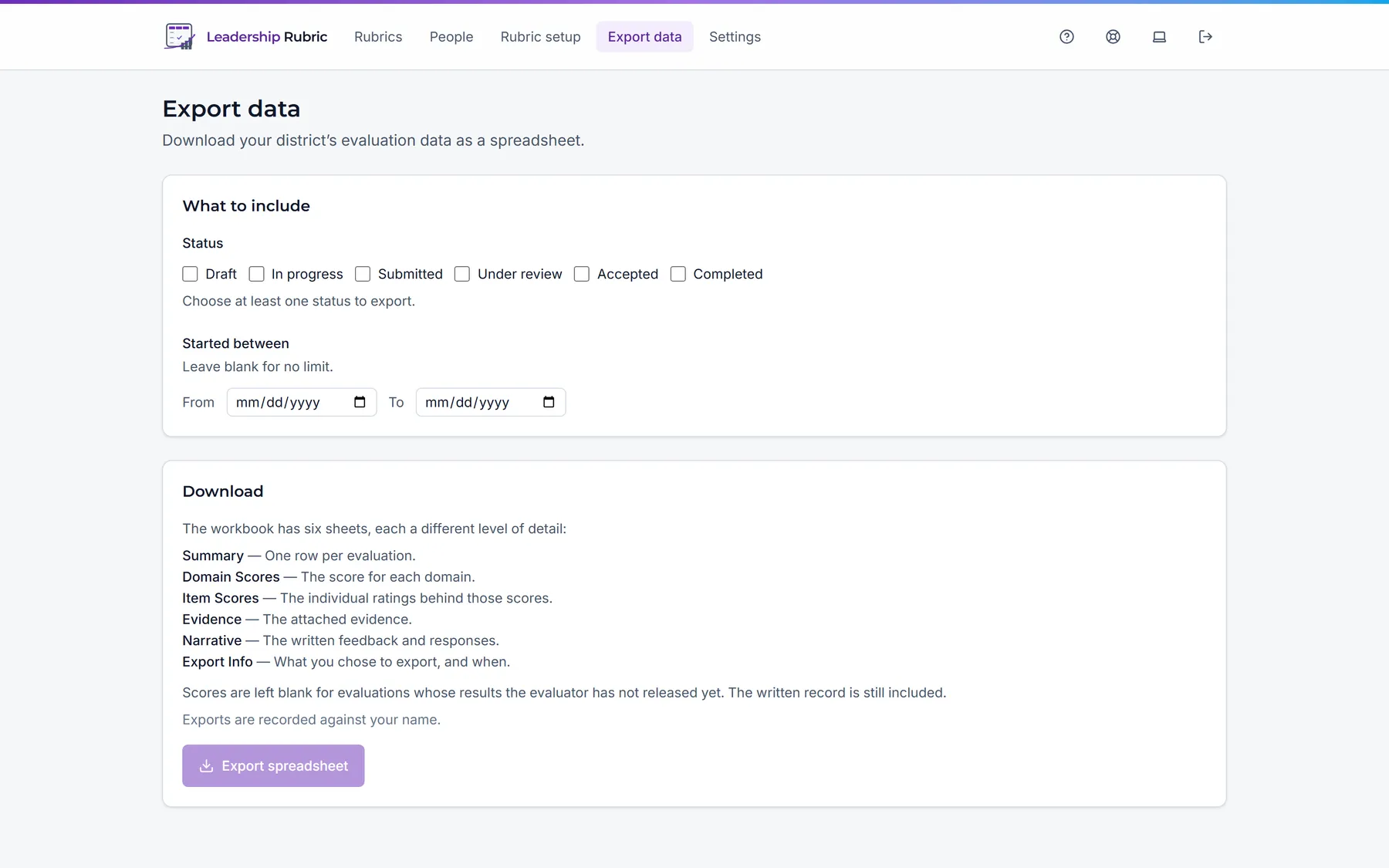
Filter by status and start date, and take the year out as a six-sheet Excel workbook: summary, domain scores, item scores, evidence, narrative, and the export parameters themselves so any figure can be reproduced later.
Every export is recorded against your name, with the filter used and how many scores were withheld. Written comments and responses are on the Narrative sheet, so treat the workbook as the personnel material it is.
The settings that make it your district’s process
Evaluation practice differs by district, and most of the disagreements are about disclosure and language. Both are settings.
Hold scores until release
For districts that discuss results face to face first. The evaluation appears, the numbers don’t, and accepting it is held back too.
Require acceptance
Ask the person evaluated to accept the record, once they have read it, before it can be finalized.
Allow written responses
Let the person evaluated add their own account to the record, in their own words.
Enable self-evaluation
Let leaders evaluate themselves against the same rubric, as a starting point for the conversation.
Your own vocabulary
Call it an appraisal, a review or an observation. Call evidence artifacts. Every screen and the help guide follow.
Your time zone
Set the district’s zone once so every date means the same calendar day to everyone reading it.
A copy of everything, whenever you want it
You can request a backup of every evaluation, comment and person in the district from inside the app, evidence files included. Building it takes a while for a large district, so it runs in the background and you are emailed when it is ready.
You choose a passphrase at the moment you download, and the file is encrypted with it. We never store that passphrase, which means nothing on our servers can open your backup. Keep it somewhere safe: without it the file cannot be opened by anyone, including us.
A backup file can also be opened in the app to preview exactly what it contains, so a copy you are depending on is one you have actually checked rather than one you hope is good. If you ever need to, you can restore the district from it on the same screen.
Seats, counted honestly
A seat is used by anyone who evaluates or is evaluated. Coordinators who only administer the district are free. The roster shows the seat cost of a change before you make it, so turning someone’s evaluator role on tells you it takes a seat, and turning it off tells you it frees one.
Deactivating someone removes their access and frees their seat while keeping every record they were part of.
How seats are priced →